
Tutorial
Add and Remove Fields from Shopping Cart Checkout Form
Some added flexibility is now available in the shopping cart checkout form. Enable or disable optional fields to contour the information collected to meet your needs.
Follow the steps below to customize the shopping cart checkout optional form fields.
Shopping Cart Settings
The checkout form can be edited under Commerce Shopping Cart Settings
Optional Fields
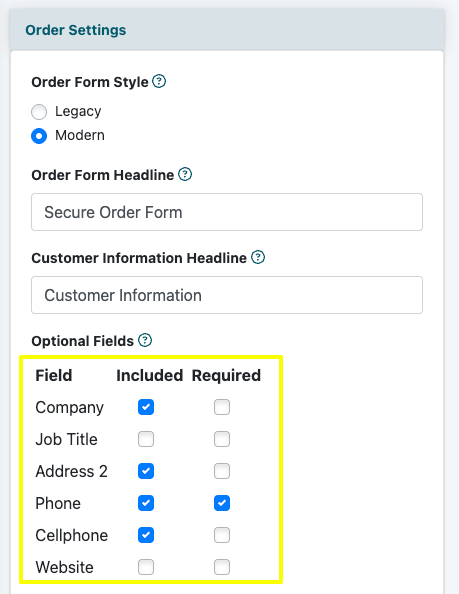
The optional fields can be managed under the 'Order Settings' section.
Included - Check the box to include the field on the checkout form.
Required - If desired, check the box to require the user to enter a value for this field.