Email Forwarding Settings for GMail

Tutorial

When forwarding an email address to your gmail account, use the following settings to connect.

To Connect to Gmail

  1. The settings to input into your gmail can be found in 'Email Settings' on the right nav panel of the control panel. Click on the cog icon on the top right of the control panel to open the nav bar.

    Master Settings Email Settings

  2. In the 'Email Accounts' section, click the button under 'Email Client' for the email user that needs connection.

  3. From your gmail account choose 'settings' --> 'accounts and import' --> Send Mail As
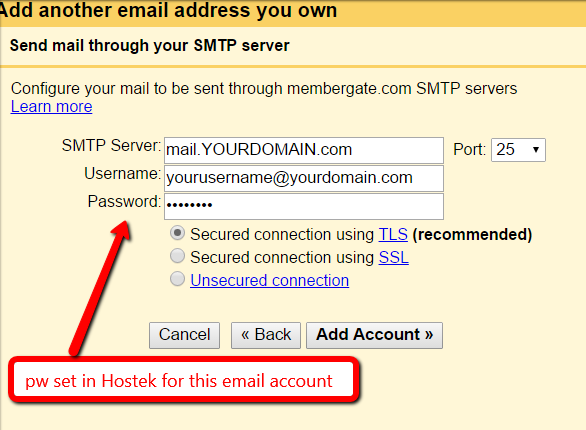
  4. Copy and Paste the details from the 'Email Client Settings' into the gmail 'add email' box to connect.

Email Forwarding Settings for GMail