
New MemberGate Search Page Makes Content Easier to Find
Finding the right content on a MemberGate site is now much easier. The redesigned Search page combines a cleaner, more modern layout with new filtering options that help visitors quickly narrow results to the content they are looking for.
Visitors can still enter a traditional search term, but they are no longer limited to searching by keywords alone. The new Search page can also use Content Topics and Page Types to help visitors explore a site's content based on subject, format, or a combination of both.
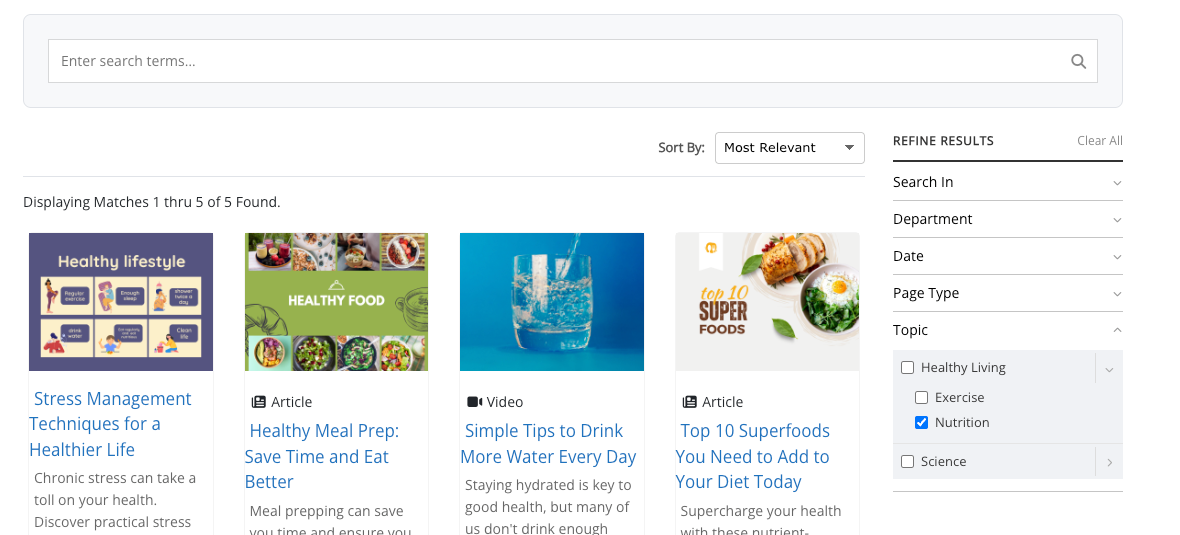
The redesigned Search page combines visual results with sorting and filtering tools.
Search by Keyword, Filter by Content, or Use Both
The new Search page gives visitors several ways to find content.
A visitor can enter a word or phrase into the search field just as they would with a traditional site search. Results can then be refined using filters such as Search In, Department, Date, Page Type, and Topic.
But a search term is not required.
Visitors can also browse content by selecting a Page Type or Content Topic. For example, someone could choose Video to find video content, select Nutrition to explore content related to nutrition, or combine the two to focus specifically on nutrition videos.
Search terms and filters can also be used together, giving visitors an easy way to narrow larger collections of content.
Filter by Page Type
Sites using MemberGate's new Page Types can now make those classifications useful directly from the Search page.
If content has been organized into types such as Articles, Videos, Downloads, Tutorials, Audio, or other custom Page Types, visitors can select the type they want and focus their results on that particular format.
This is especially useful for sites with a variety of content. Someone looking for a video, for example, does not have to work through articles and downloads to find one.
Explore Content by Topic
The Search page also connects with MemberGate's new Content Topics system.
Topics and subtopics appear as filtering options, allowing visitors to browse content based on subject. Because topics can be organized hierarchically, visitors can begin with a broader topic and then narrow the results further.
For example, a site might have a Healthy Living topic with subtopics for Exercise and Nutrition. A visitor interested specifically in nutrition can select that subtopic and immediately focus the results on relevant content.
Learn More About Content Topics
A Cleaner Search Experience
The Search page itself has also been completely refreshed.
Search results are presented in a cleaner visual layout that can include content images, Page Type information, headlines, and introductory text, making results easier to scan before opening a page.
Filtering options are grouped into a dedicated Refine Results area, while the Sort By control allows visitors to adjust how matching content is displayed.
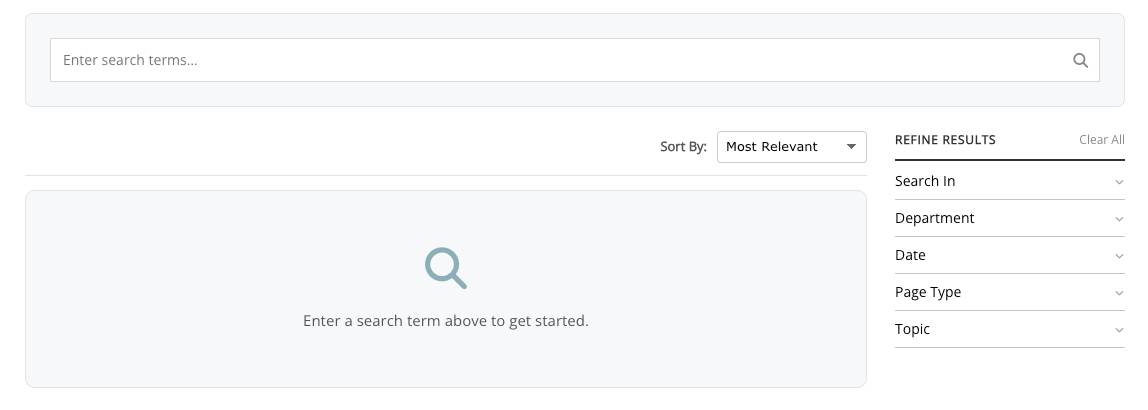
Before a search begins, visitors see a clean starting point with search and filtering tools ready to use.
Helping Visitors Discover More of Your Content
The redesigned Search page is about more than finding one specific page.
By bringing together keyword searching, Page Types, Content Topics, departments, dates, sorting, and a more visual results layout, the new Search page gives visitors multiple ways to explore what is available on a MemberGate site.
For sites with growing libraries of articles, videos, courses, downloads, tutorials, and other resources, valuable content can now be much easier to discover.